Resources
File resources
Browse downloadable files shared with the field app for offline use.
Resources → Files lists uploaded files — PDFs, videos, audio and images — that field apps download for offline use.
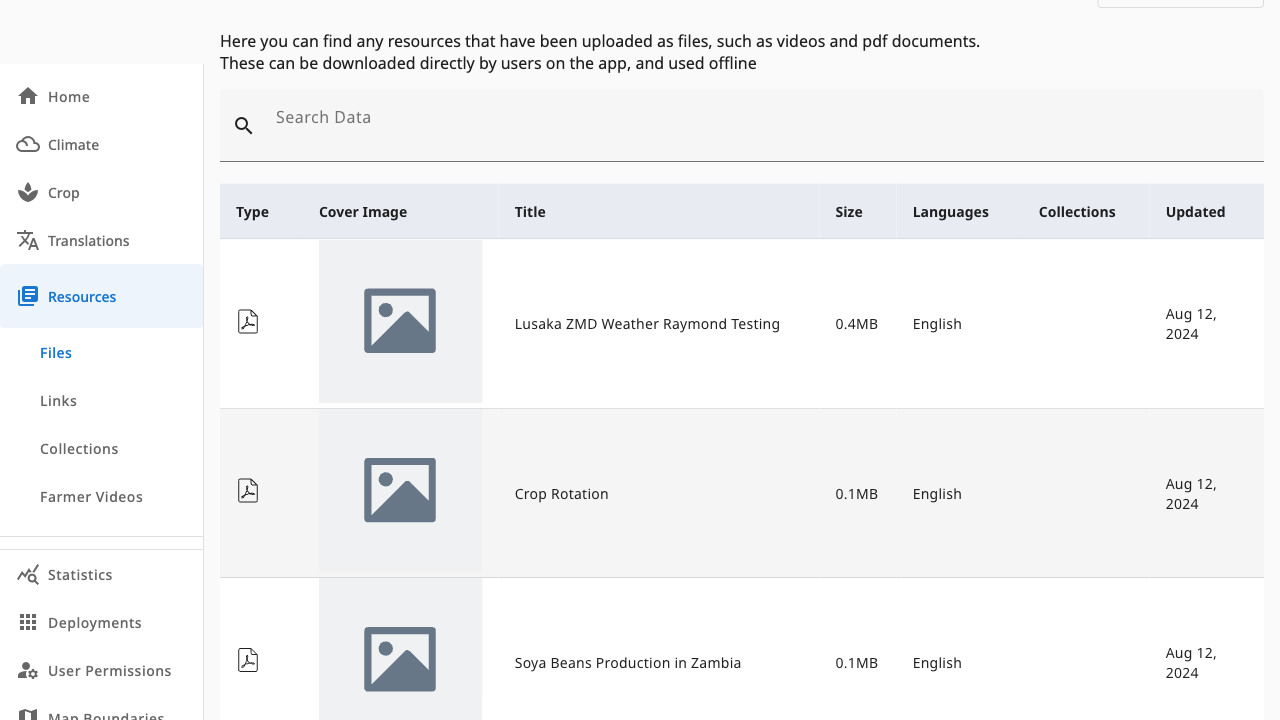 1234
- 1Add Resource — upload a new file
- 2All / In Collection / Unassigned — filter by collection membership
- 3Search Data — filter by title
- 4Resource table — type, cover, title, size, languages, collections; click a row to edit
Understanding the columns
| Column | Meaning |
|---|---|
| Type / Cover Image | File kind (PDF, video, document) and thumbnail |
| Title | Display name in the field app |
| Size | Download size, kept small for offline use |
| Languages | Which app languages the file serves |
| Collections | Groupings this file belongs to — click a cover to open the collection |
| Updated | Last modification date |
Click any row to open it — see Managing files for what you can change.
Who can do what
EveryoneBrowse the list and open any file — without an editing role the form opens read-only as View Resource.
EditorSee Add Resource and upload new files; edit or delete owned files (
resources.editor) — see Managing files.AdminEdit or delete any file, and audit field-app data in Resources data admin (
resources.admin).