Resources data admin
Compare dashboard resource records against the data bundled in the field app (admin).
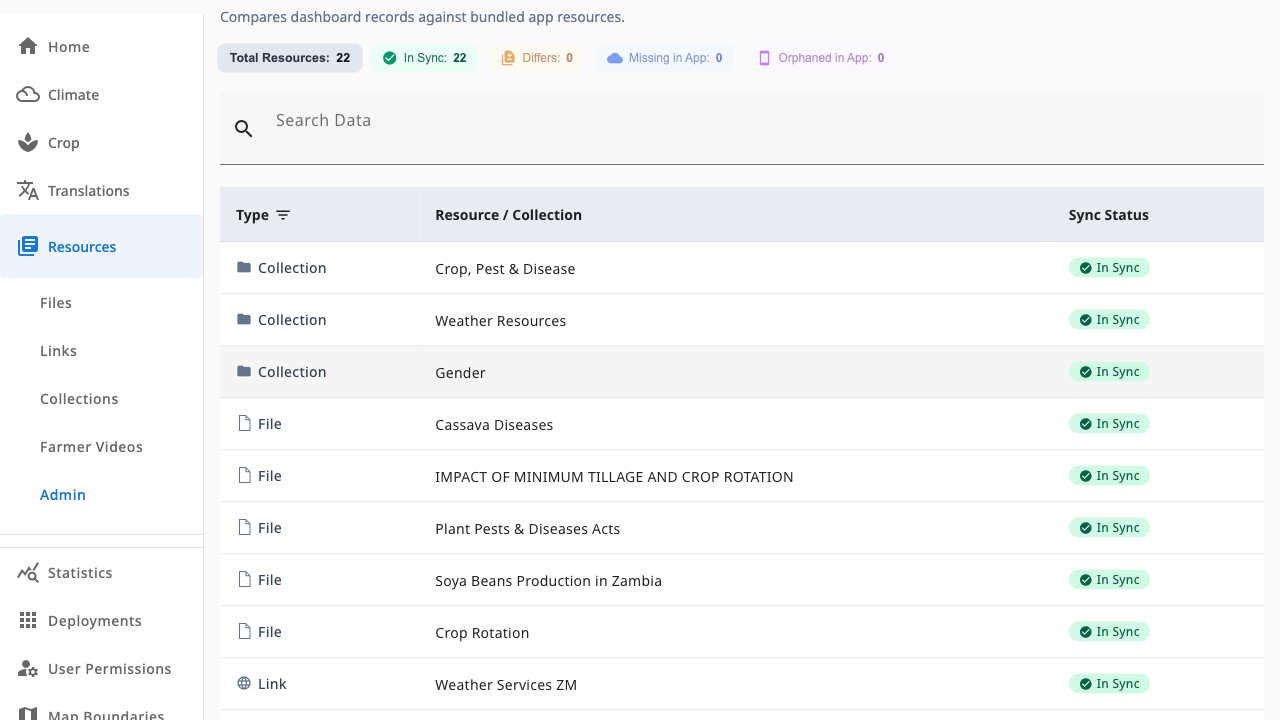
Resources → Admin (requires resources.admin) compares the dashboard's live resource records — files, links and collections — against the resource bundle shipped inside the field app, so you can see what farmers actually have versus what has changed since.
 1234
- 1Total Resources — click to clear the status filter
- 2Status chips — filter the table; click again to clear
- 3Search Data — filter rows by title
- 4Rows — one per file, link or collection; click a row to preview
Sync statuses
The chips at the top summarise every resource at a glance — click one to filter the table to that status, click again to clear:
| Status | Meaning |
|---|---|
| In Sync | Dashboard and bundled app agree. Nothing to do. |
| Differs | The record exists in both places but something changed — title, description, cover, URL, storage file, language, type or collection membership. Edit the dashboard record or rebuild the bundle to resolve it. |
| Missing in App | A dashboard record that is not in the app bundle yet — it will reach farmers in the next release. |
| Orphaned in App | A bundled copy with no matching dashboard record — it was removed from the dashboard but is still shipped in the app. |
The Total Resources chip clears any filter.
Understanding the table
Each row is one file, link or collection: its Type, its title (Resource / Collection) and its Sync Status. Click a row to open a read-only preview showing what the farmer sees — videos play inline, PDFs render in place, links show their destination with an Open Website button, and collections list their member files and links. Rows marked Bundled copy only have no live database record behind them.
This page answers is the app up to date? — not what should change?. Make the change in Files, Links or Collections first, then cut a new app release to move rows back to In Sync.
Who can do what
resources.editor).resources.admin, required to access this page).