Crops
Crop data admin
Bulk-import water requirements from CSV and export tables for the app.
Crop → Admin (requires crop.admin) bulk-manages the per-location water requirements behind every probability table.
 1234
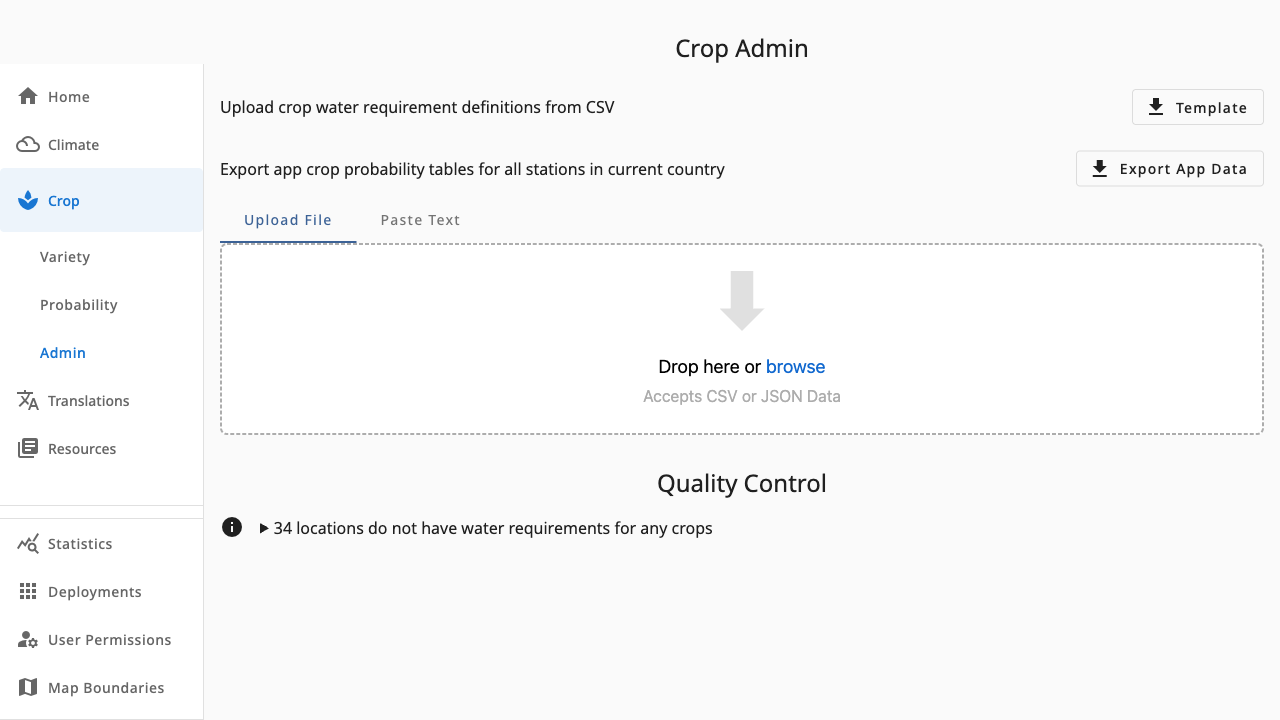
1234- 1Template — download a CSV pre-filled with locations to complete
- 2Export App Data — bundle all probability tables for the field app
- 3Upload File or Paste Text — drop a CSV to preview changes before importing
- 4Quality Control — warning lines list locations still missing entries
Import workflow
- Template downloads a CSV with one row per location, crop and variety.
- Fill in the water-requirement column and Upload File (or paste the text).
- Review the preview: Rows shows before/after values to be upserted, Duplicates flags repeated lines, Errors lists invalid rows with reasons.
- Import writes the valid rows. Values are rounded to the nearest 5 mm and matched to locations tolerantly (spacing and case ignored).
Quality control
The Quality Control section lists locations with no entries at all versus locations with entries but no water requirements yet. Add Placeholder creates empty entries so gaps are explicit rather than missing.
Export for the app
Export App Data generates the per-location probability tables as JSON and downloads them as a zip — the artefact bundled into the field app release.