PICSA Dashboard User Guide
Learn how to manage climate data, crop information, resources and translations in the PICSA Dashboard.
The PICSA Dashboard is the web back-office behind the PICSA field apps. Country teams use it to curate weather station data, publish seasonal forecasts, maintain crop variety information, share resource files and translate app content.
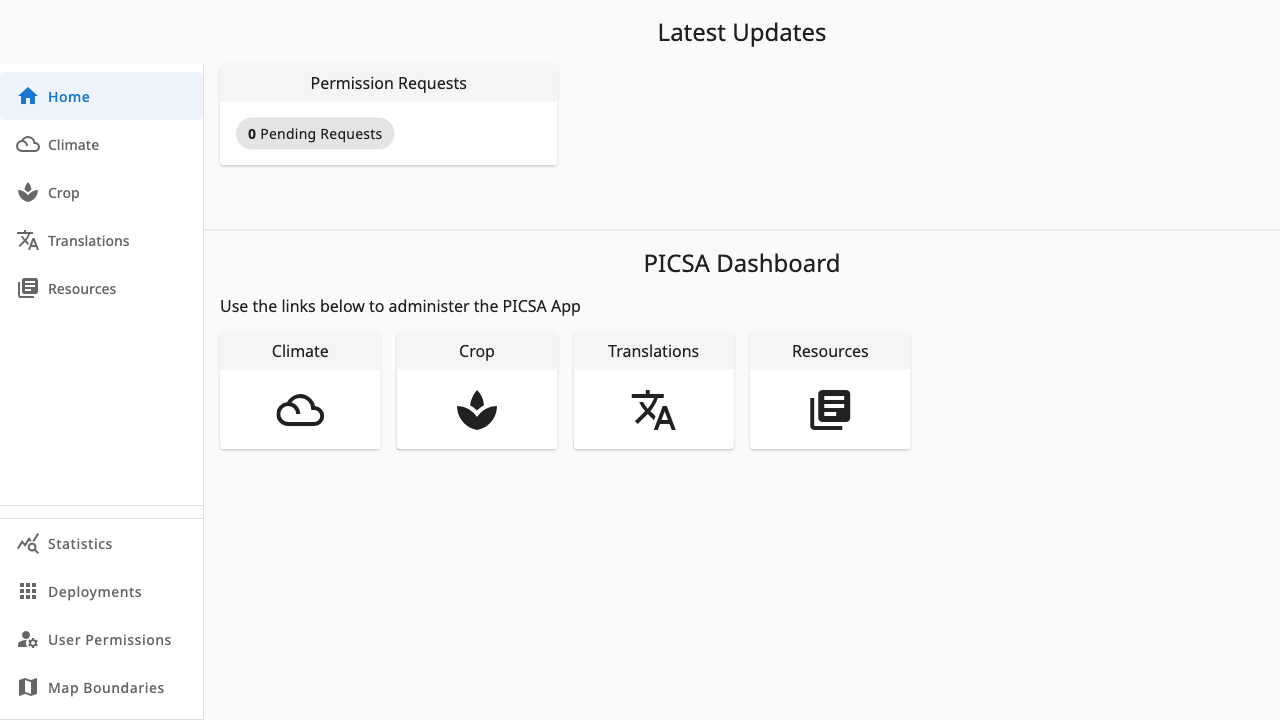 123
123- 1Latest Updates — the Permission Requests card shows tasks for your role
- 2Dashboard cards link to every section your role can access
- 3The sidebar mirrors the same sections and stays visible everywhere
What you can do here
Getting started
Sign in, pick a deployment and understand roles
Climate
Station data, forecasts and data quality checks
Crops
Varieties, water requirements and probability tables
Resources
Files, links, collections and farmer videos
Translations
Translate app text and import it in bulk
Managing access
Deployments, user permissions and map boundaries
All screenshots in this guide come from the Zambia deployment logged in as an admin. If your account has fewer permissions, some buttons and pages will be hidden — see Deployments and roles.