Resources
File resources
Browse downloadable files shared with the field app for offline use.
Resources → Files lists uploaded files — PDFs, videos, audio and images — that field apps download for offline use.
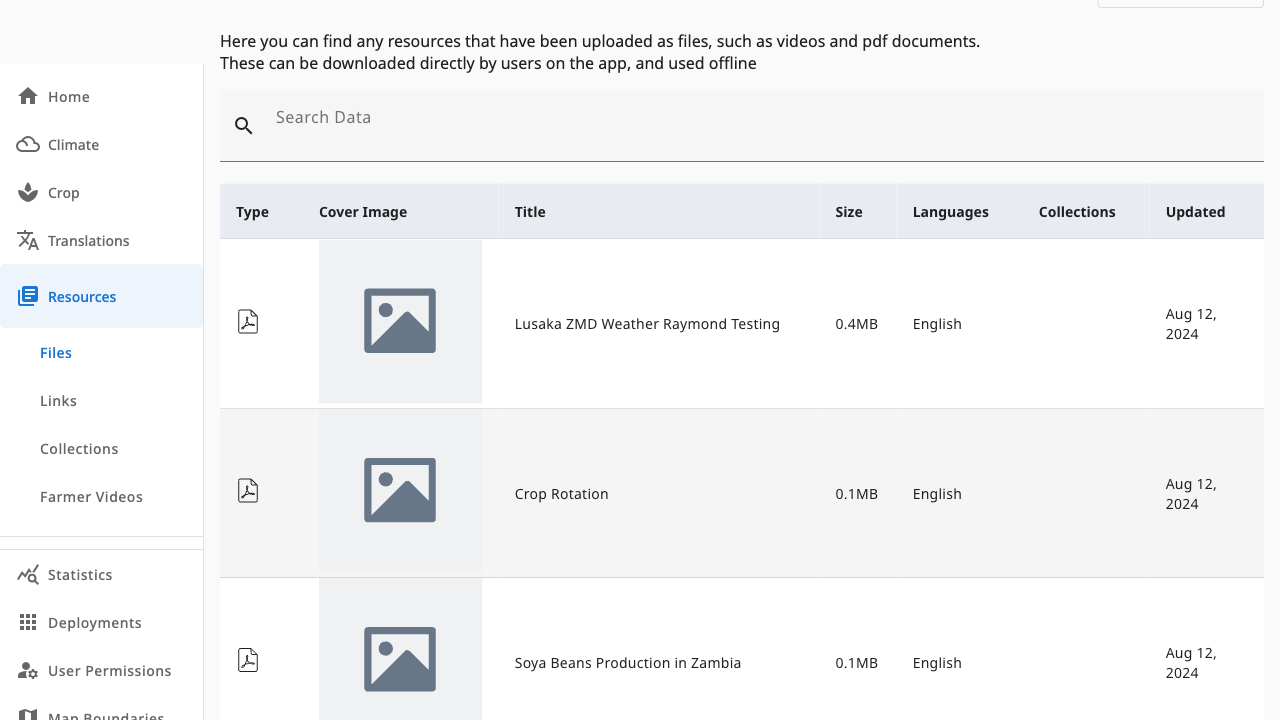 12
12- 1Search — filter by title
- 2Resource table — type icon, cover, title, size, languages, collections; click a row to edit
Add Resource (resources.admin) sits at the top of the page above the
visible area — scroll up to upload a new file.
Understanding the columns
| Column | Meaning |
|---|---|
| Type / Cover Image | File kind (PDF, video, document) and thumbnail |
| Title | Display name in the field app |
| Size | Download size, kept small for offline use |
| Languages | Which app languages the file serves |
| Collections | Groupings this file belongs to — click a cover to open the collection |
| Updated | Last modification date |
Click any row to edit the file's metadata, replace the upload or delete it — see Managing files.