Climate
Station data
Browse weather stations for your deployment and open a station for detail.
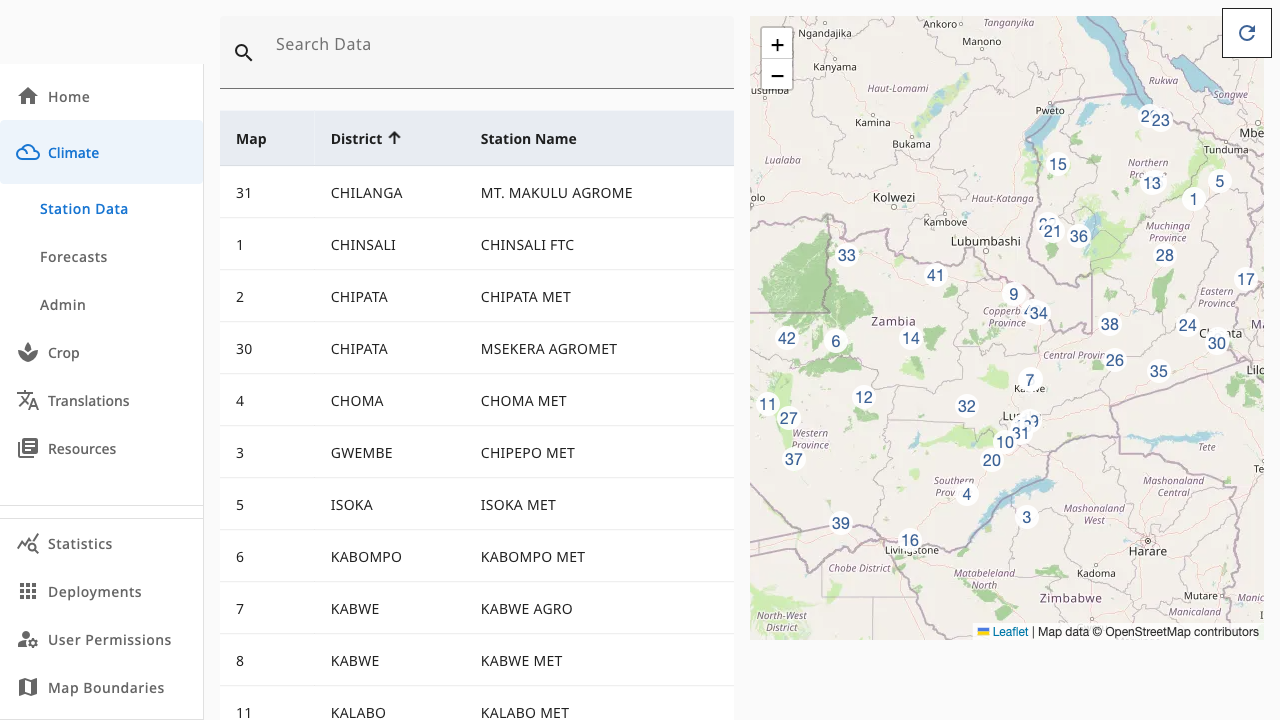
Climate → Station Data lists every weather station in the active deployment's country. It is the entry point for all historical climate products.
 1234
1234- 1Search Data — filter the table by district or station name
- 2Sortable table — Map number, District, Station Name; click a row to open it
- 3Map — numbered markers mirror the table; click one to open that station
- 4Refresh button (climate.admin) — re-sync station records from the climate API
What you can do
- Search and sort the table to find a station by district or name.
- Open a station by clicking its table row or its numbered map marker. This takes you to Station details.
- Zoom the map with the +/- controls to inspect station coverage.
The Refresh button in the top-right is only visible to climate.admin
users. It updates station records from the climate API and does not change
historical data — for that, see Climate data admin.