Crops
Crop varieties
Browse the master list of crop varieties and their downscaling coverage.
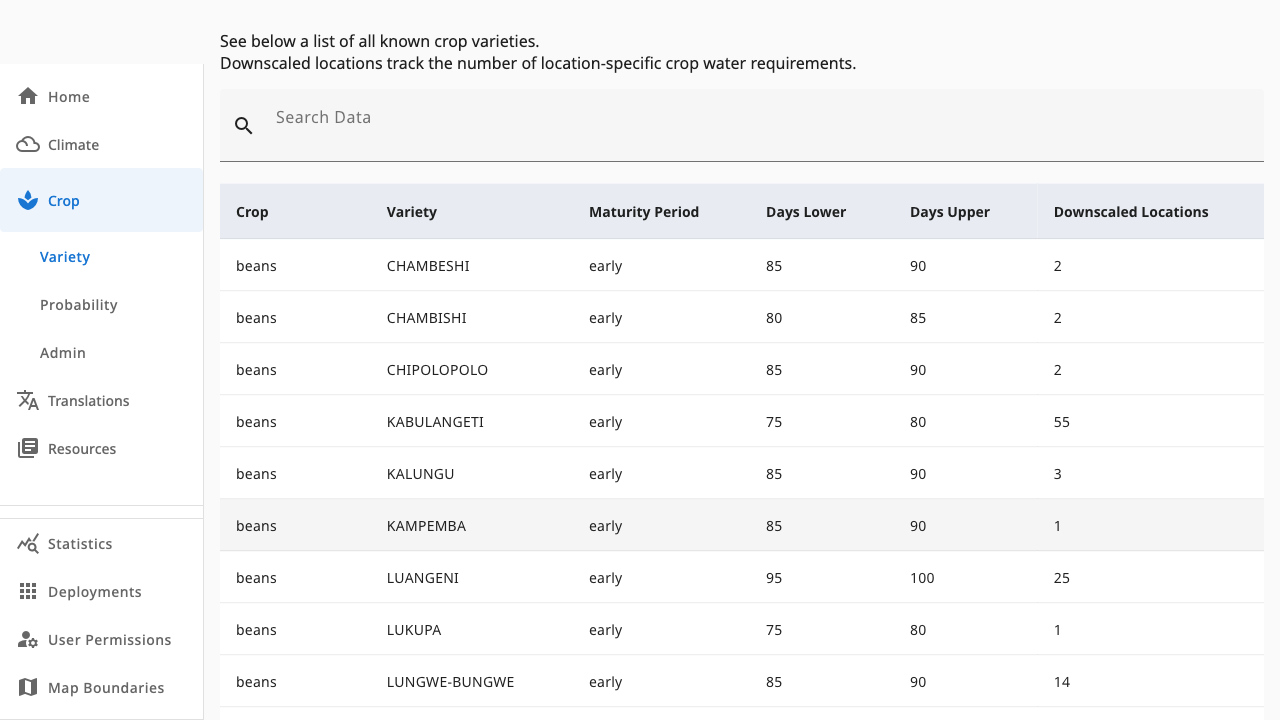
Crop → Variety is the master list of crop varieties for your deployment, with how many locations each one has water-requirement data for.
 123
- 1Search — filter by crop, variety or maturity period
- 2Variety table — click a row to open its details and water requirements
- 3Downscaled locations — how many locations define water needs for this variety
Add Variety (crop/variety/add, crop.editor) sits at the top of the
page above the visible area — scroll up to create a new base record, then add
its per-location water requirements on the details page.
 123
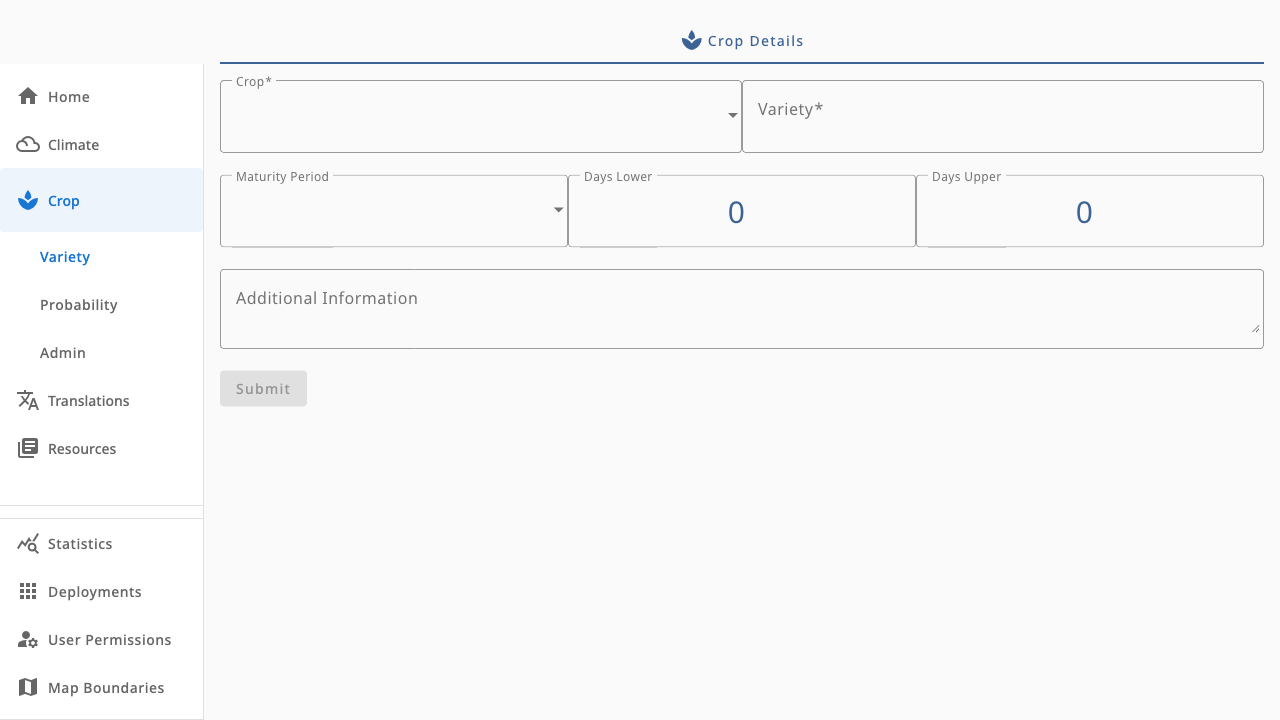
- 1Variety — name the new variety (crop picked alongside)
- 2Maturity — period plus days-to-maturity range
- 3Submit — create the base record
Each variety records its crop, maturity period (early/medium/late) and days-to-maturity range, which feed the probability tables.
Who can do what
EveryoneSearch, sort and open any variety — see Variety details.
EditorCreate base records with Add Variety (
crop.editor) — crop and variety names lock after creation because they form the record's ID.