Translations
Translating app text
Find untranslated strings for your language and translate them.
Translations → List shows every translatable string for your deployment's country. Pick a language to see what still needs translation.
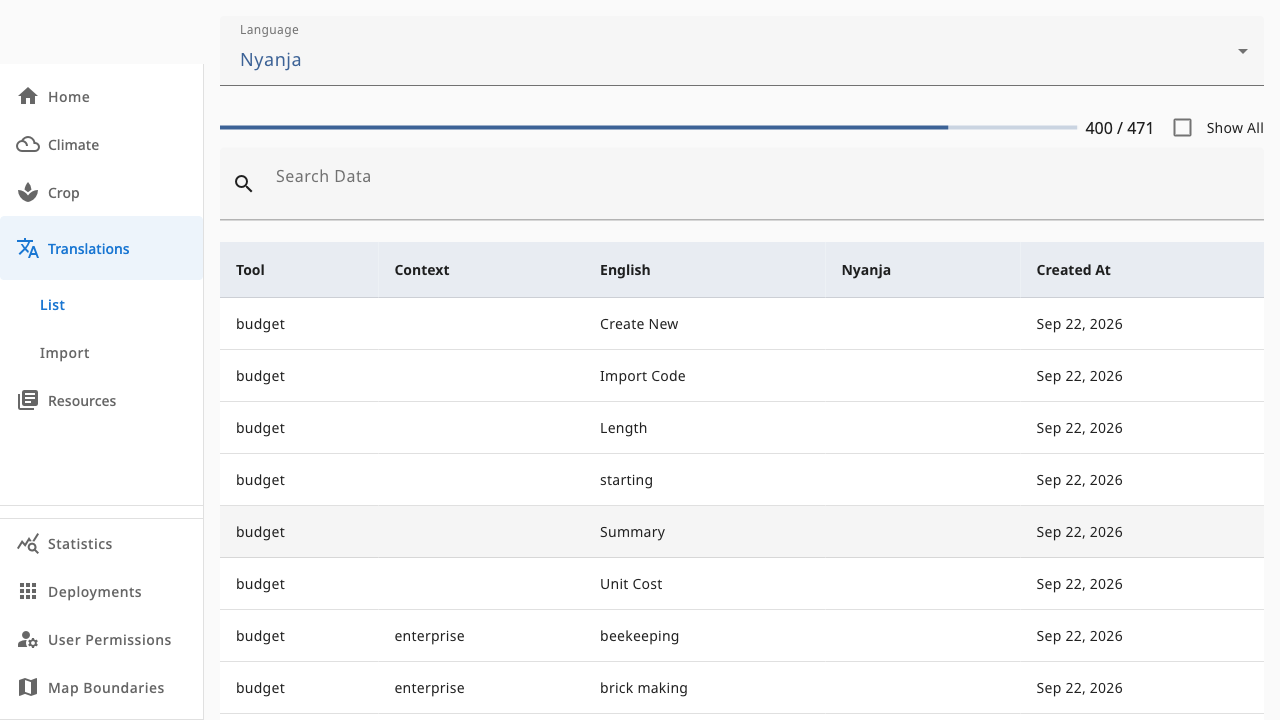 1234
1234- 1Language picker — the language you are translating into (e.g. Nyanja)
- 2Show All toggle — untick to hide already-translated rows
- 3Search — find specific source text
- 4Translation table — tool, context, English source and your translation; click a row to edit
Export JSON sits below the table — scroll down to download the current translations for the app bundle.
Workflow
- Select the locale — the list refreshes automatically.
- Work through rows with an empty translation cell. The Tool and Context columns tell you where the string appears.
- Click a row to open the editor dialog, enter the translation and save.
- Untick Show All when you want to focus only on rows still missing a translation.
A progress indicator tracks how much of the locale is complete.