Managing access
User permissions
Manage who can access your deployment and what they may do (admin).
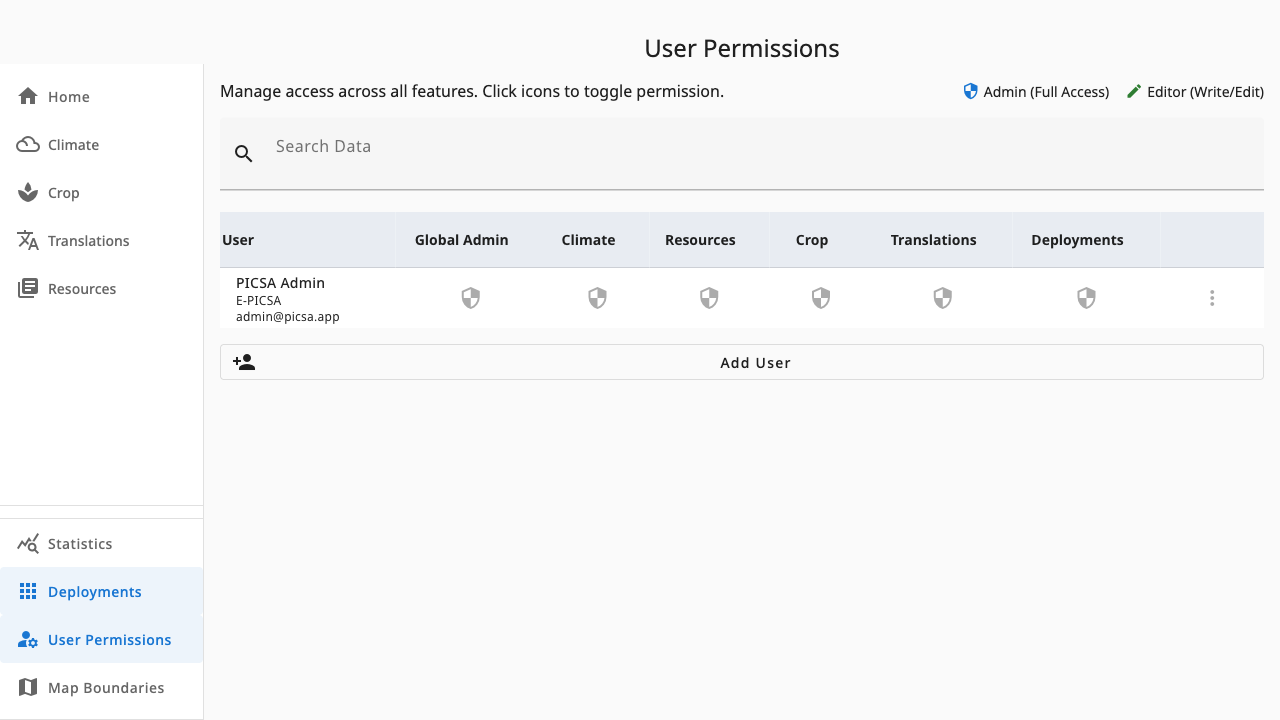
User Permissions (requires deployments.admin, found under User Permissions in the sidebar) manages users for the active deployment: roles, access requests and membership.
 1234
1234- 1Search — find a user by name or email
- 2Role matrix — one column per feature; each toggle cycles no access → admin → editor
- 3Row menu — global-admin toggle, profile edits and removal
- 4Add User — invite someone to this deployment
Managing roles
- Each cell toggles that user's role for one feature: empty (no access) → admin → editor → empty again.
- Global Admin is granted only from the row menu, never by accident from the matrix.
- You cannot change your own permissions.
Access requests and membership
Pending access requests appear for approval with accept/reject actions and an optional response message. Add User invites a new member; the row menu removes members or edits their profile.
Permissions are per deployment — someone who administers Zambia has no access to Malawi until added there too.