Translations
Import and export translations
Bulk-load translations from spreadsheets or app JSON (admin).
Translations → Import (requires translations.admin) moves translations in bulk instead of one row at a time.
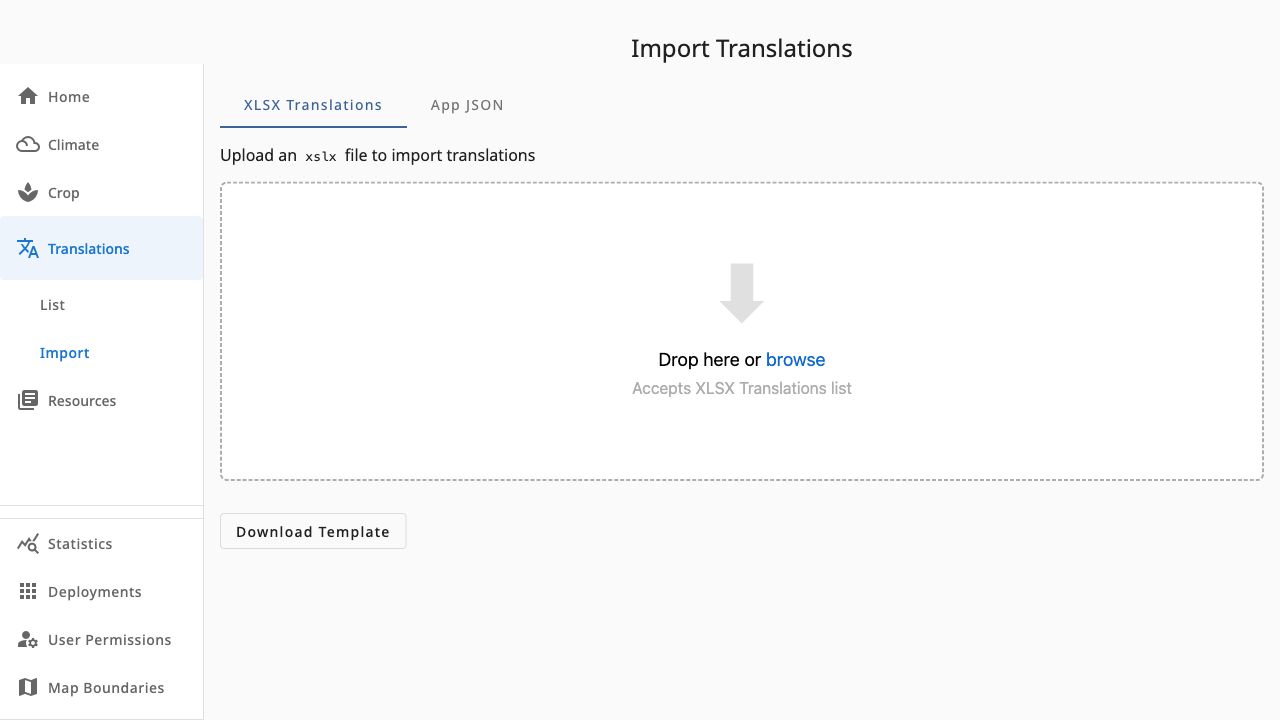 123
- 1XLSX Translations tab — spreadsheet-based import
- 2App JSON tab — raw app-format import
- 3Drop zone — drop a file or browse to upload
XLSX workflow
- On the translations list, Download Template to get the expected columns.
- Fill in translations offline and drop the file (or browse to it) on this page.
- Review and confirm the import; strings then appear in the translations list.
App JSON workflow
Drop app-format JSON files to import them directly, then review and confirm the import the same way.
Who can do what
AdminBulk-import via an XLSX spreadsheet or app-format JSON; download the template from the translations list first (
translations.admin, required to access this page).